By
Published Mar 21, 2025



No headings found
Why Trust Gadgetbyte?
At Gadgetbyte, we invest substantial hours into rigorously testing each product or service we review, guaranteeing that you make informed purchases. Learn more about our testing process.
Review Overview
Asus Zenbook 14 Q415MA is a premium looking ultrabook that cuts just the right corners to land below that 1 lakh threshold. Although the mesmarizing display, snappy performance, and long lasting battery life feel super polished, having just 8 gigs of soldered memory holds it back quite a bit. It's light and peppy on its feet but don't stress the Zenbook too hard or it might come down with a fever ?!
Design and build
9/10
Display
9/10
Keyboard
8/10
Trackpad
9/10
Performance
8/10
Audio
8/10
Webcam
7/10
Battery
9/10
Value for money
10/10
Macbooks have kinda been the go-to ultrabooks for anyone serious about snappy performance and long-lasting endurance not to mention their top-notch chassis and ridiculously optimized macOS. But despite the recent price drops and bang-for-buck offerings like the Macbook Air M4 (review coming soon), there's still something missing: a sub-700-dollar ultrabook. Sure, you can still get the M1 Air (2024 review) here in Nepal for around that 1 lakh mark, but that guy is almost 5 years old at this point. So, what are your options? Well, I found this guy when searching for a Macbook competitor under 1 lakh rupees (<750 USD). It's the Asus Zenbook 14 (Q415MA) with Intel's Core Ultra 5 Meteor Lake chipset for just NPR 86,999 (~630 USD)! Here's a quick overview:

Asus Zenbook 14 (Q415) review: Specifications
- Dimensions, Weight: 312.4mm x 220.1mm x 14.9mm (W x D x H), 1.28 kg
- Display: 14″ FHD+ OLED panel, 60Hz refresh rate, 100% DCI P3 color gamut, 500 nits HDR peak brightness
- Keyboard: Chiclet backlit keyboard with 1.4mm
- Security: Windows Hello with IR, TPM 2.0
- Processor: Intel "Meteor Lake" Core Ultra 5 125H
- 14C/18T, 4.5 GHz max turbo frequency, 28W base power
- Graphics: Intel graphics (48 execution units)
- RAM: 8GB LPDDDR5-7467 memory (non-upgradeable)
- Storage: 512GB SSD (M.2 NVMe PCIe 4.0)
- Audio: Down-firing stereo speaker system (Tuned by Harman Kardon)
- Battery: 75 Watt-hours with 65W charging
- Webcam: HD (720p) camera with a physical shutter
- I/O Ports: 1x USB-A (with one USB 3.2 Gen 1), 2x Thunderbolt 4, 1x HDMI 2.1, 1x 3.5mm combo audio jack
- Price in Nepal: NPR 89,999 (8GB RAM, 512GB SSD)
- Check the full specifications of the Asus Zenbook Q415 here
- Buy Asus Zenbook 14 (Q415MA) here
Asus Zenbook 14 (Q415) review:
Seeing the spec sheet for the first time had me thinking somewhere along the lines of:
The display looks wonderful, the chipset is an apt performer for the price, and the large 75Wh battery looks promising but ...
That RAM, that underwhelming 8GB of soldered LPDDR5 memory, might just be the one thing holding it back. And let's just say, I kinda called it even before my first stroke on the keyboard.
Display
- 14" WUXGA OLED 16:10 display (anti-glare finish)
- 60Hz refresh rate, 100% sRGB, 99% DCI-P3 color gamut
- 350 nits brightness, 550 nits HDR peak
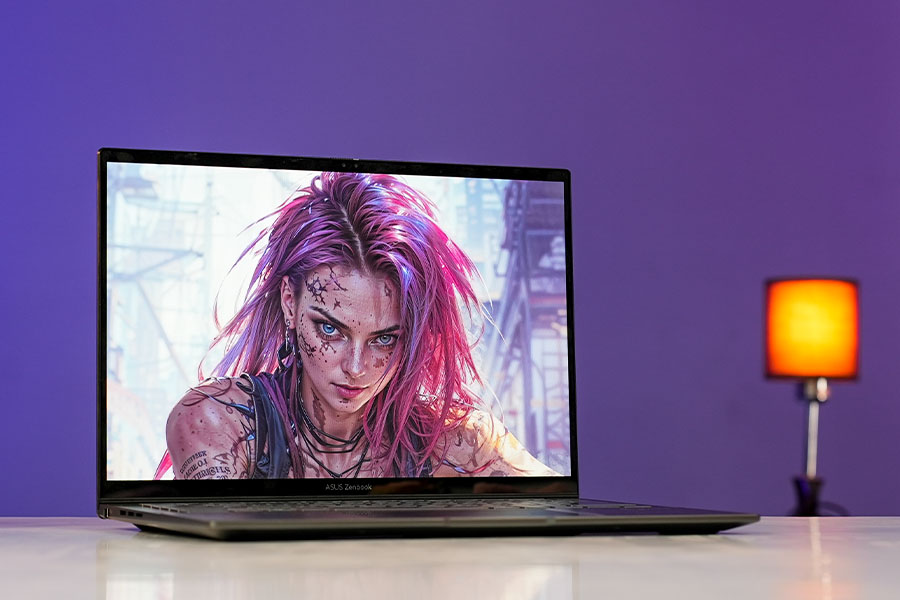
Let's start this review off with one of the primary highlights of this Zenbook. The Zenbook 14 Q415 is one of the very few if not the only ultrabook (right now) to offer a gorgeous OLED screen for under 1 lakh rupees! The resolution and refresh rate aren't anything to write home about but the vibrancy and the brightness are what really sell it for me.
Design and build
- 312.4mm x 220.1mm x 14.9mm (W x D x H)
- 1.28 kg
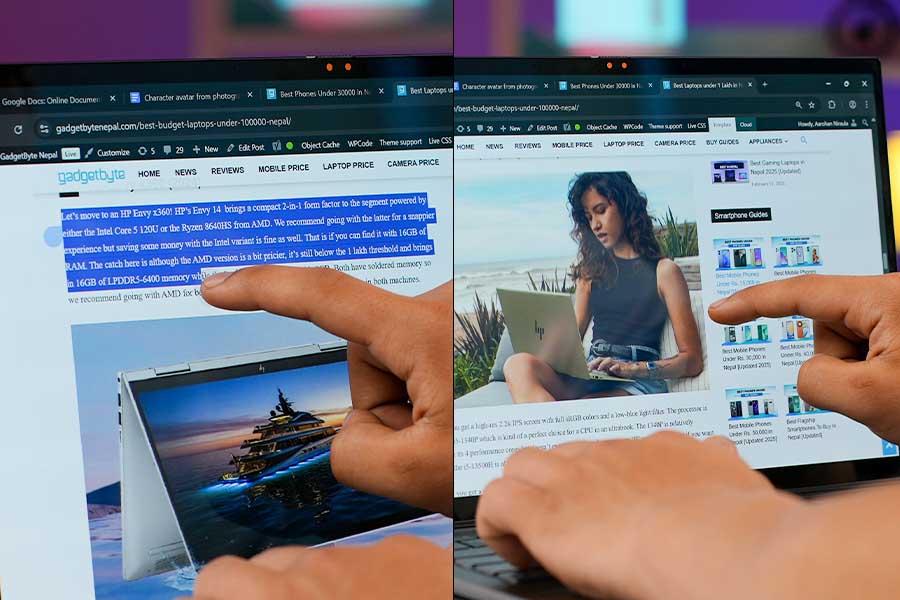
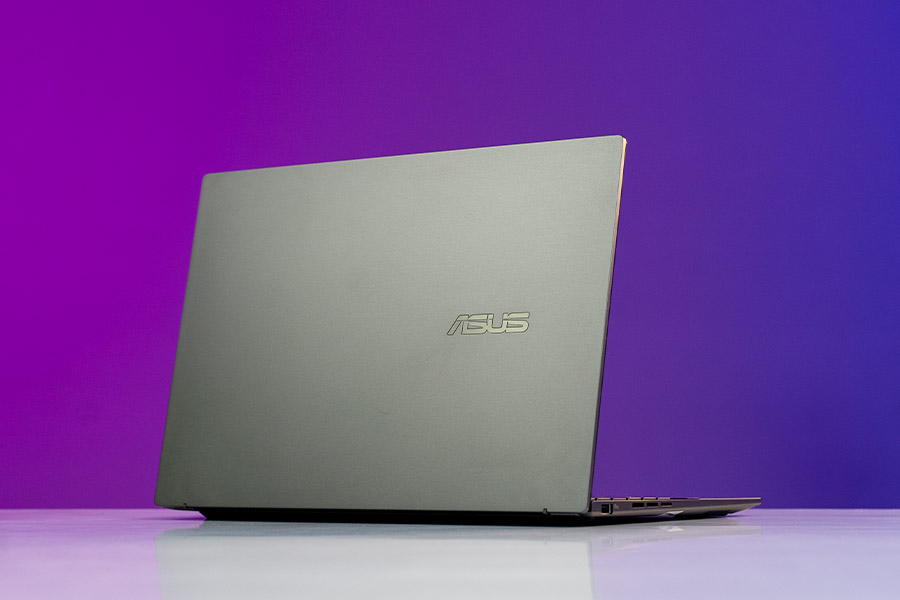
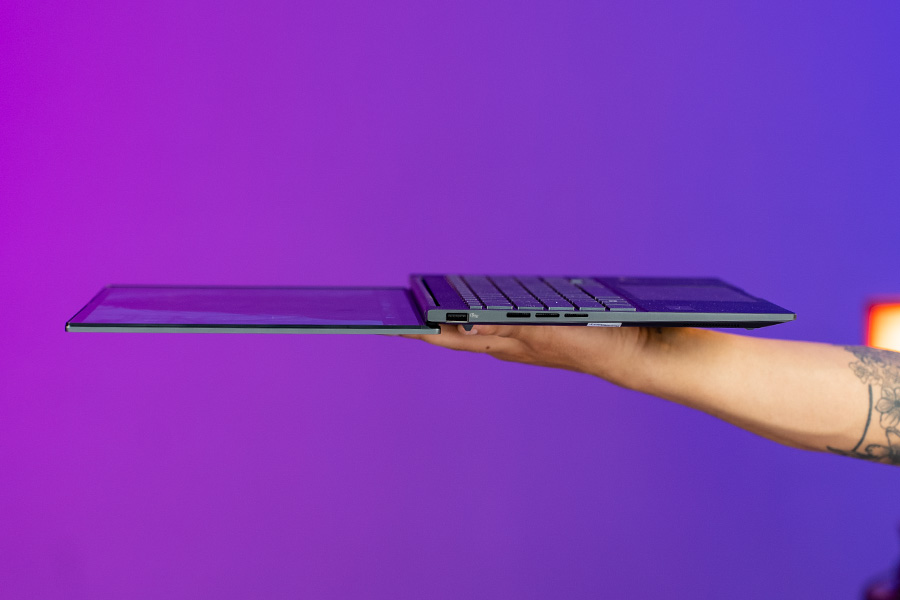
Housing that beauty of a screen is a premium-feeling metal body that's a rare find in the segment. The chassis is solid with no deck flex at all but that display seems to wobble at times. My unit also makes a very slight creaking noise when I try to use the touchscreen but this might be an isolated incident and your mileage may vary! Regardless, for the price the build quality is top-notch!
Keyboard and Trackpad
- Full-size keys without Numpad, 1.4mm travel
- Multi-level white backlight
- Precision trackpad
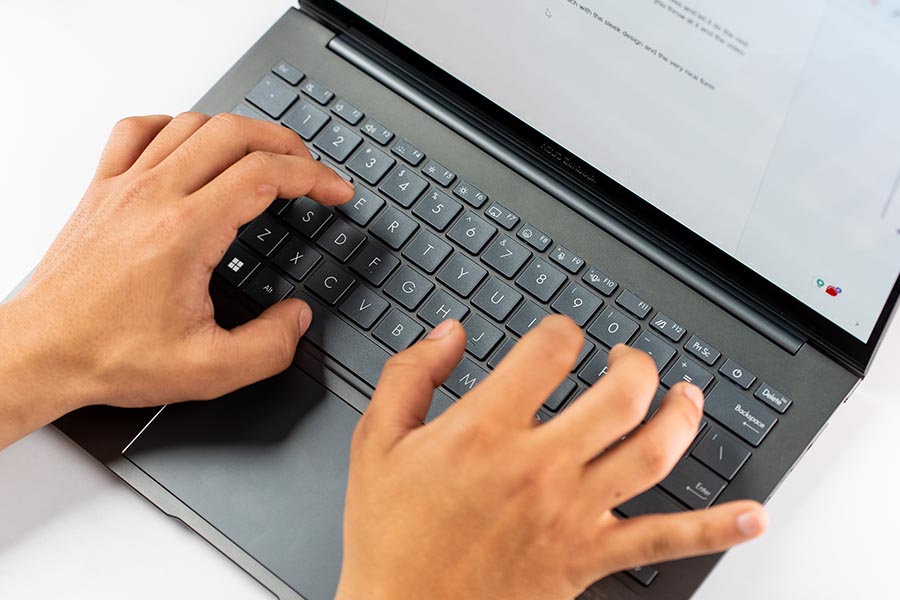
Now, this is probably a controversial take but I prefer the Zenbook's keyboard over a Macbook Air's. The key travel in a modern Macbook Air is just so short (1mm) that you don't get the same punch as munching down on a Zenbook. Don't get me wrong, the Macbook still feels way more polished in terms of fit, feel, and finish but the feedback part is just better on my Zenbook Q415MA.
Performance
- Intel Core Ultra 5 125H (28W base power)
- 14 cores / 18 threads, 4.5 GHz max turbo frequency
- 8GB LPDDR5X RAM, 512GB PCIe 4.0 SSD
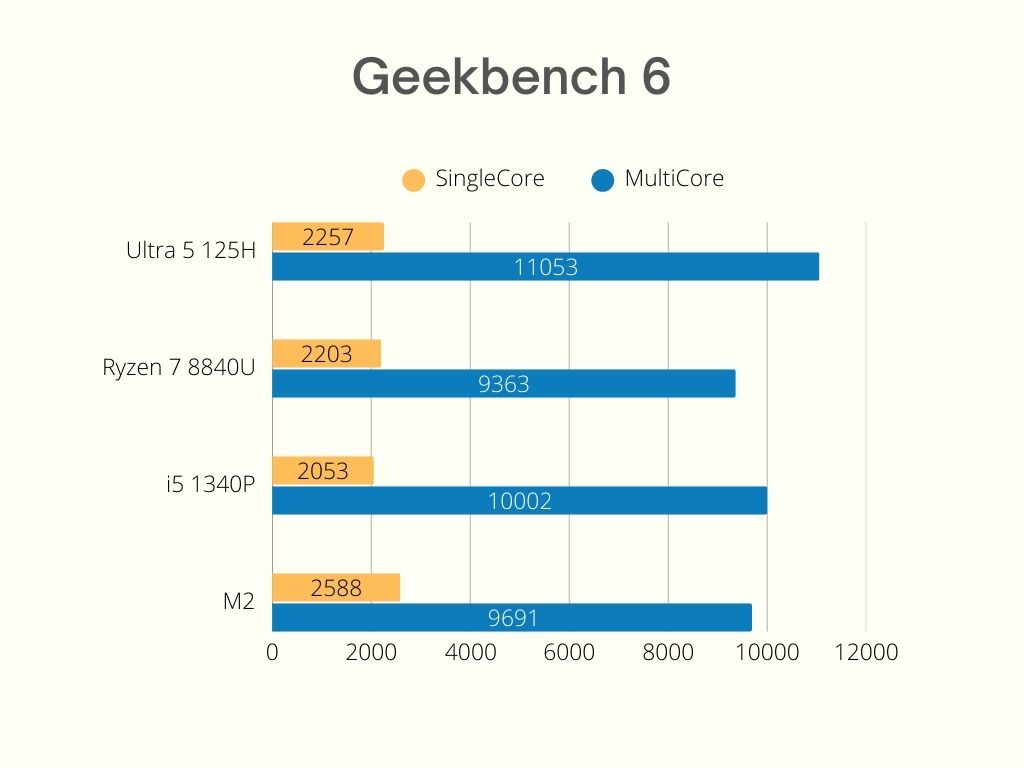
And that goes for the processor too! The Core Ultra 5 125H is a balanced fusion of power and efficiency with its mixed cores and newer fab process that you find in ultrabooks around the 1 to 1.25 lakh mark. There are a total of 14 cores, only 4 of which are heavy-lifting P cores (@ up to 4.5GHz) while the majority are efficiency cores (@ up to 3.6GHz).... There's also something new here: Low-Power Efficiency or LPE cores that kick in during lightweight tasks like video streaming, web browsing, and background processes.
The elephant in the room
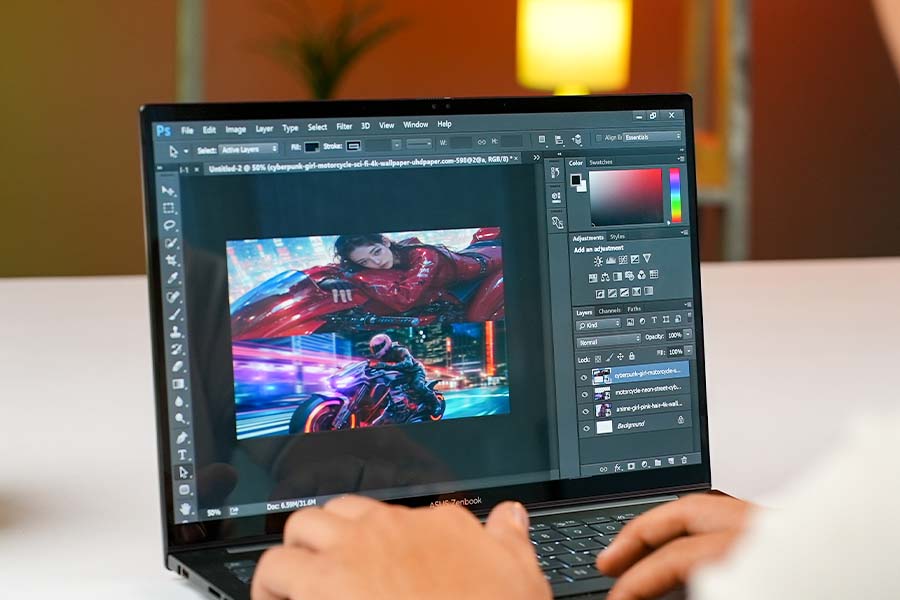
The 8GB RAM is just not enough for any more-than-casual user in 2025! Don't get me wrong, the Zenbook is a piece of art when all I wanna do I watch a movie on its OLED screen, or type out a few quick articles in Microsoft Word but it falls apart QUICKLY once you start to do more.
Gaming
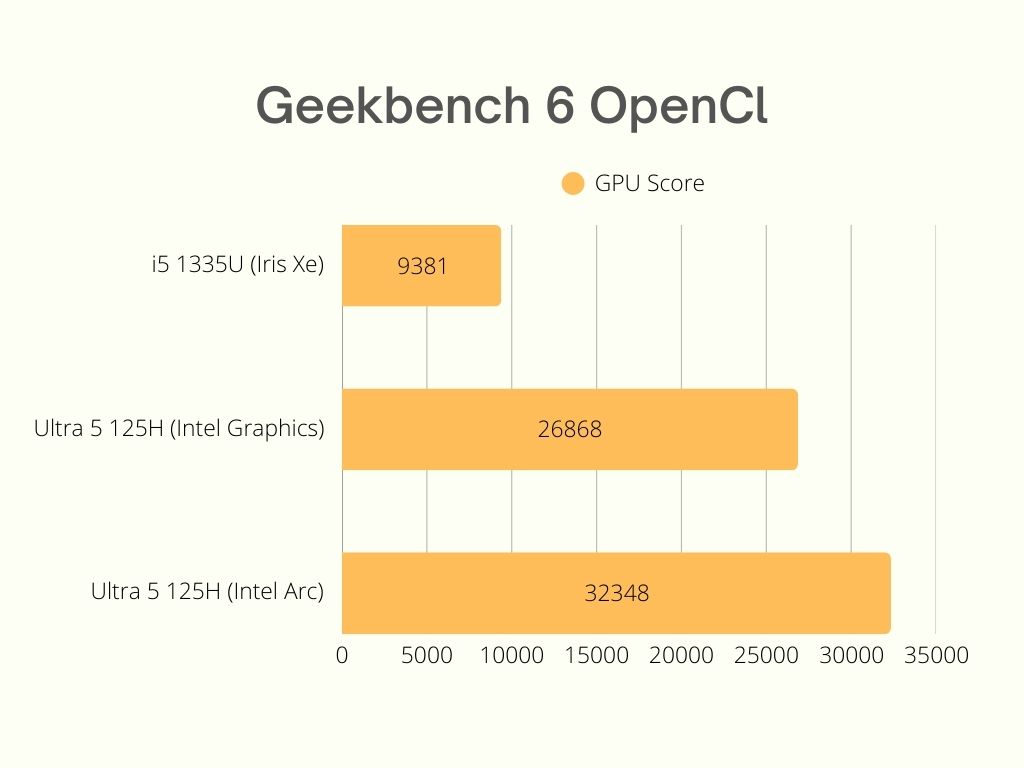
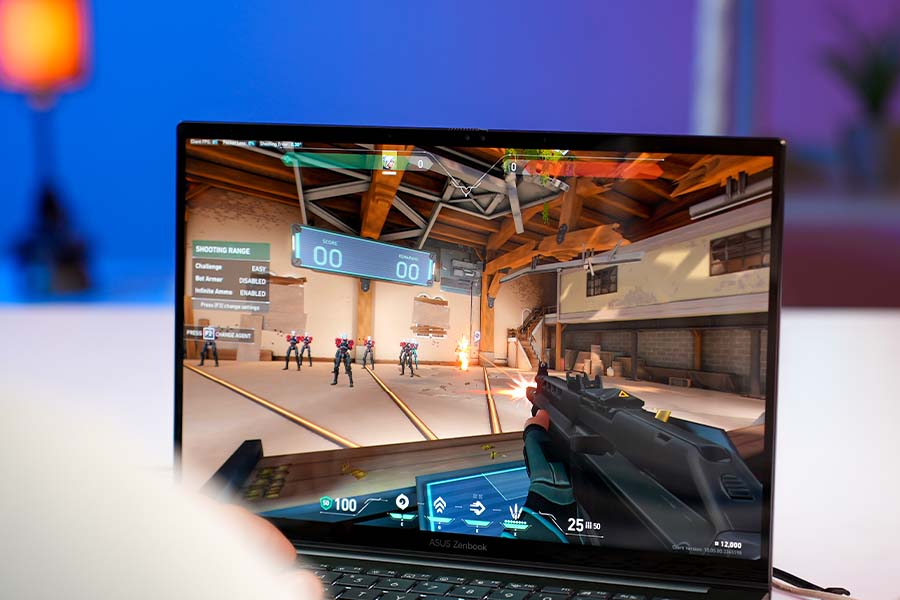
An ultrabook without any discrete graphics is not exactly a gaming beast, but the new Intel Arc graphics do promise anywhere from 30-50% gains over Iris Xe. Unfortunately, that's not the case with our Zenbook over here. Due to its RAM limitation, the iGPU on the Zenbook 14 Q415MA loses the 'Arc' branding and has boring regular 'Intel Graphics'. The benchmark scores are praiseworthy but the real-world gaming experience leaves a lot to be desired.
Cooling and Fan Noise
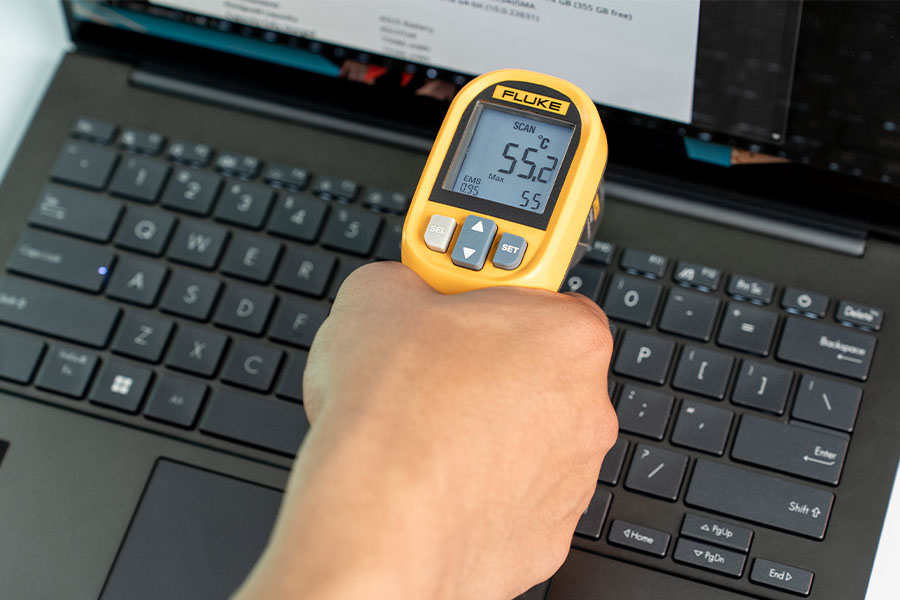
But how's the heat doing normal people stuff like watching videos or college assignments? Quite Alright actually. The Zenbook gets warm if you use it while charging but besides that, I wouldn't worry about getting uncomfortable during typical usage. Fan noise is also not going to be a problem for casual users but it'll spin up quite a bit under load.
Battery
- 75 Watt-hour battery
- 65W power adapter (USB-C)
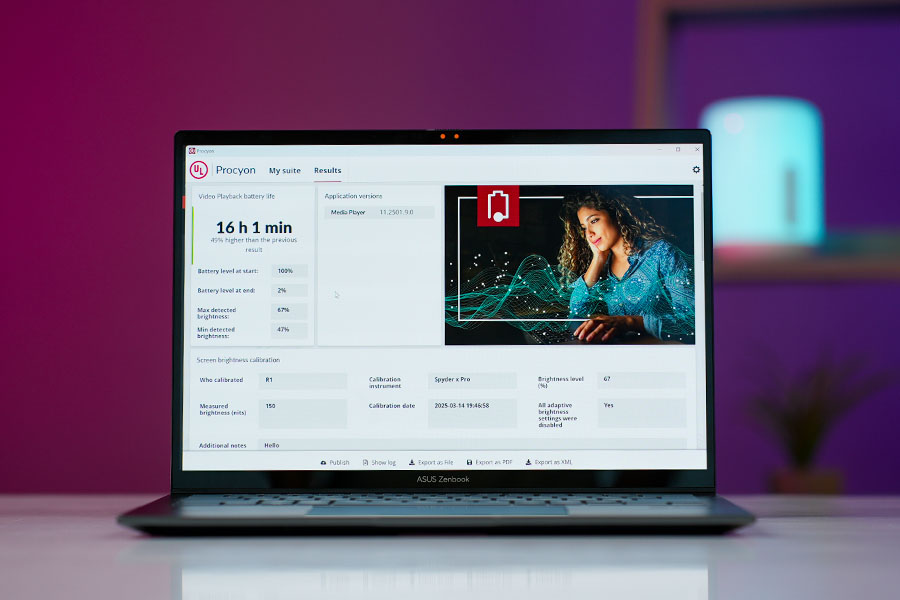
The battery life is awesome though and I was getting a full workday on a single charge consistently through the week. I also ran our typical endurance benchmark which runs a local 1080p video on a loop at 150 nits of brightness and the Zenbook 14 Q415 achieved an awesome 16 hours! This is where the new Low Power Efficiency cores shine because a similar ultrabook with an older 13th-generation processor would struggle to cross 11-12 hours.
Webcam
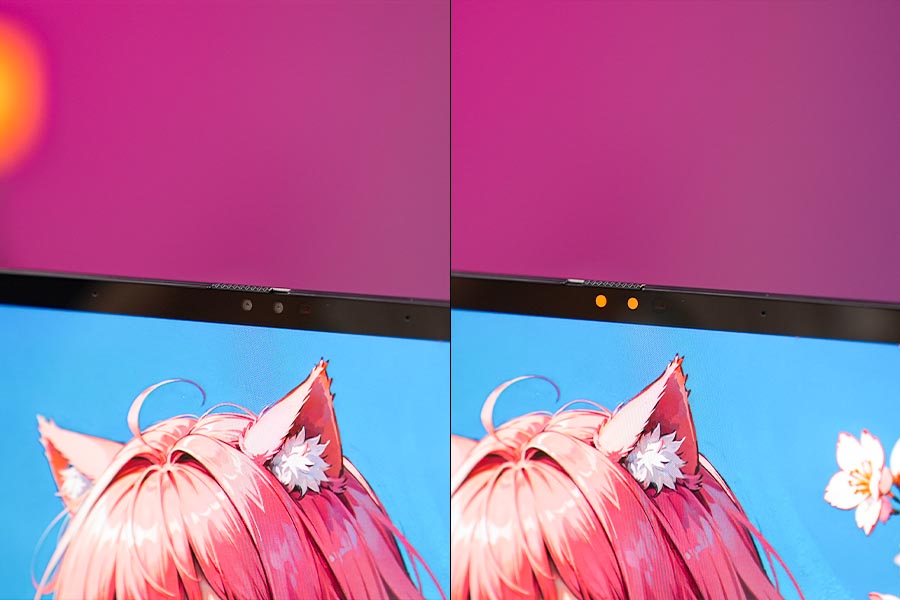
- HD (720p) camera
- Physical privacy shutter
Asus Zenbook 14 2024 (Q415) review: Conclusion
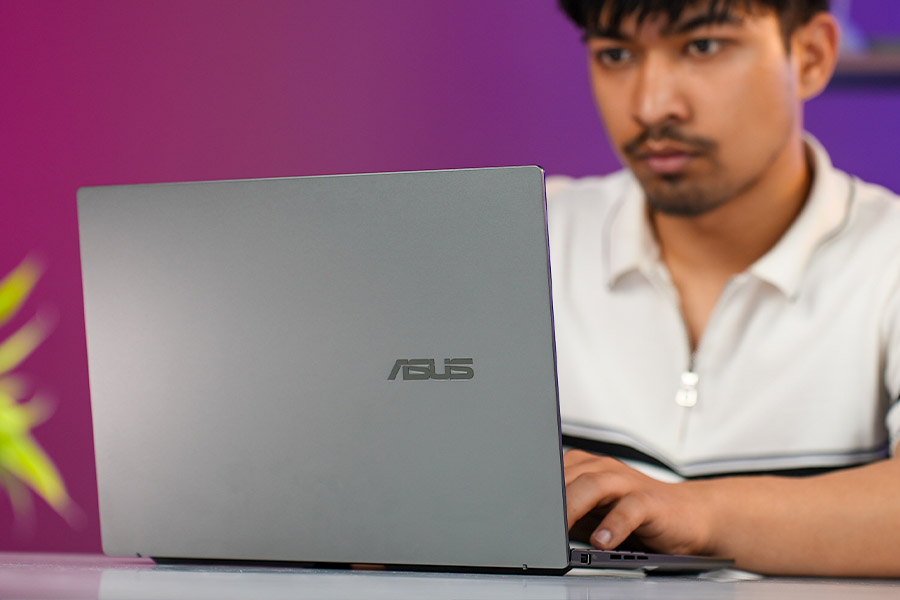
Is the Zenbook Q415 jack of all trades that I'd recommend to anyone looking for a laptop under 1 lakh? Maybe not! But it's the perfect little machine for a student or office guy who's just there to Netflix and chill after a long day of work. It keeps cool and quiet during a typical office day and lasts surprisingly long too. Quite handy to carry around, and feels premium to use as well. That's a combo you just won't get under 1 lakh in too many cases!
Asus Zenbook 14 (Q415) review: Pros and Cons
| Pros | Cons |
| • Absolutely stunning screen | • 8GB soldered memory |
| • Premium feeling chassis | • Heats up quickly |
| • Nice keyboard and trackPad | • 720p webcam |
| • Speakers deliver good audio | |
| • Very long-lasting battery life |
Article Last updated: December 9, 2025