


Custom PC Build in Nepal | Explore, Filter & Compare
Filters
(Note: The price filter applies to both base prices and variant prices.)
Or select from below
Sort By
All Custom PC Models in Nepal
All Custom PC Build Price in Nepal
Custom PC Build in Nepal
The first step in building a custom PC in Nepal or anywhere else in the world is to determine what your ultimate goal is. As if you were building a PC for gaming, content creation, or general use. Then comes the most important part: how much money you can spend on that specific build.
Depending on your needs, you can certainly make cuts in some areas but not others to save some money. After you've sorted out the budget, you'll need to decide on the hardware you'll need for that build. And this is more often the most difficult task for anyone attempting to build a PC. But don’t worry. Here, we'll go over everything you need to know to start gathering parts and putting your dream together.
Things to consider when building a PC in Nepal
Motherboards
A motherboard is essentially the main circuit board that connects all the components of your PC. Choosing the right motherboard primarily depends on the CPU brand you plan to use.
Before anything else, let’s understand the different types of motherboards one by one:
1. ATX Motherboards
- Size: 305 × 244 mm
- Who should get it: Gamers and power users
- Why get it: Plenty of upgrade room, better airflow, and more expansion slots
- Best for: Gaming and high-performance desktop builds
- Best cabinet: Mid-tower / Full tower
2. Micro-ATX (mATX) Motherboards
- Size: 244 × 244 mm
- Who should get it: Budget builders and casual users
- Why get it: Compact while still offering most essential features
- Best for: Budget everyday and gaming PC in Nepal
- Best cabinet: Mini-tower / Mid-tower
3. Mini-ITX Motherboards
- Size: 170 × 170 mm
- Who should get it: Minimalists and compact PC builders
- Why get it: Small size and portability
- Best for: Small form factor and living room PCs
- Best cabinet: Mini-ITX / SFF cases
4. Extended ATX (E-ATX) Motherboards
- Size: 305 × 257–330 mm (varies by manufacturer)
- Who should get it: Professionals, creators, and enthusiasts
- Why get it: Maximum expansion, connectivity, and power delivery
- Best for: Workstations, servers, and extreme PC setups
- Best cabinet: Full tower / Super-tower
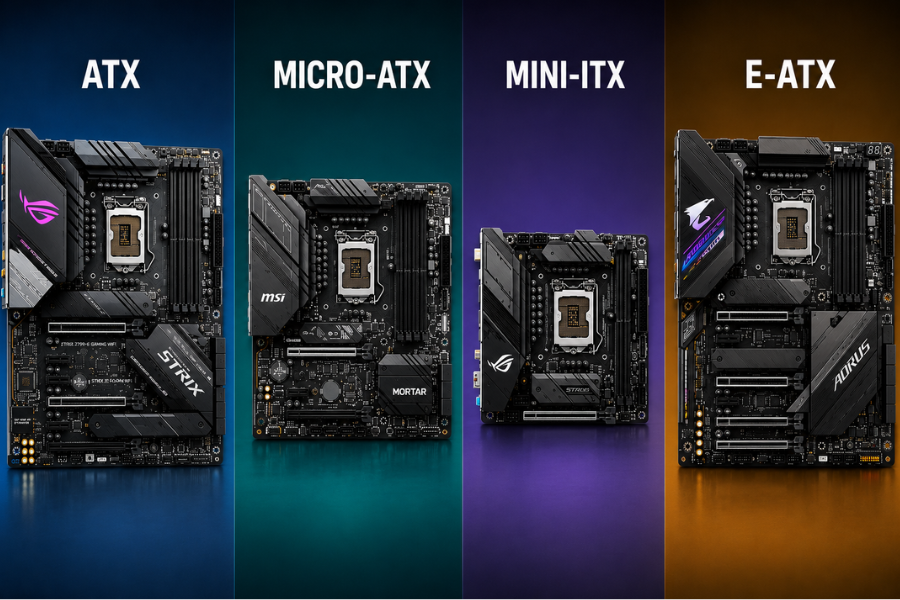
Now that you know all this, you should still know that the Intel and AMD CPUs use different socket types and chipsets, so make sure you choose a compatible motherboard for your build. Currently, LGA 1851 is Intel’s latest socket, while AM5 is AMD’s current platform.
If you plan to keep your PC for a long time and upgrade components later, platform longevity is worth considering. AMD generally supports its sockets for longer. For example, the AM4 socket remained supported for about six years, whereas Intel typically refreshes its socket platforms more frequently, often after about two to three generations.
Intel
| CPUs | Socket | Chipsets |
| Intel Core Ultra (Series 2) | LGA 1851 | Arrow Lake: Z890 and B860 |
| 14th-generation Intel Core | LGA 1700 | Raptor Lake-S Refresh (14th-gen): H610, B660, H670, Q670, Z690, W680 |
| 13th-generation Intel Core | LGA 1700 | Raptor Lake (13th-gen): H610, B660, H670, Q670, Z690, W680 |
| 12th-generation Intel Core | LGA 1700 | Alder Lake (12th-gen): H610, B660, H670, Q670, Z690, W680 |
AMD
| CPUs | Socket | Chipsets |
| 4th-generation AMD Ryzen | AM5 | X670, X670E, B650 |
| 3rd-generation AMD Ryzen Threadripper | sTRX4 | TRX40 |
| AMD Ryzen Threadripper | sTR4 | X399 |
| AMD Ryzen, 7th-generation A-Series, and Athlon | AM4 | A300, A320, B350, B450, X370, X470, X570 |
Processor (CPU)
Now, let's move on to the CPU (Central Processing Unit), the brain of your desktop PC. It performs calculations, runs programs, manages background tasks, and greatly affects overall system performance. A powerful CPU improves your gaming, video editing, streaming, multitasking, programming, and other demanding workloads. The processor you choose also determines which motherboard socket you are getting, and what cooling solution you require.
The two major desktop CPU manufacturers are Intel and AMD. Both companies offer processors for budget, mid-range, and high-end desktop PCs.
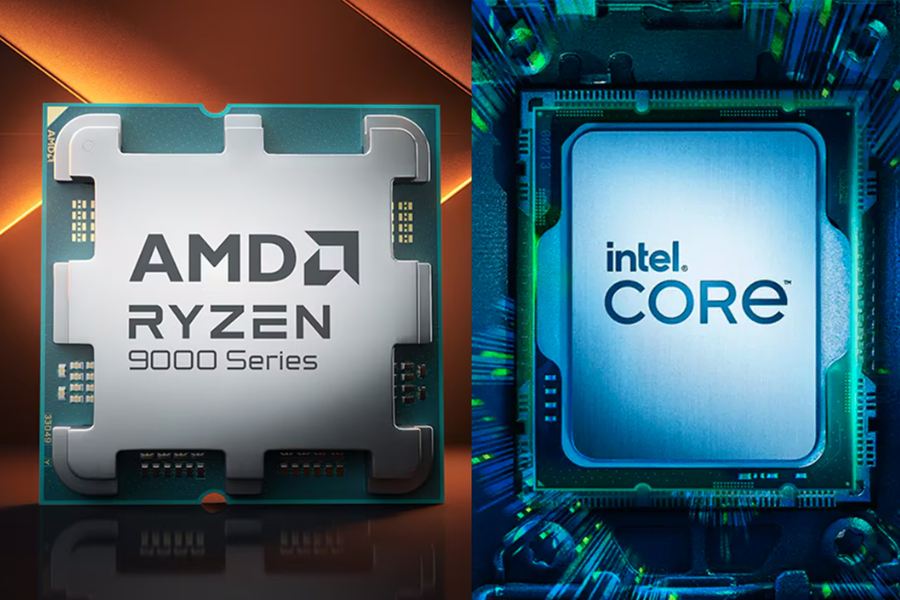
For Intel desktop builds in 2026, we recommend choosing at least a 12th Gen, 13th Gen, 14th Gen, or newer Core Ultra processor. For AMD builds, Ryzen 7000 series and newer processors are excellent choices for most users. For gamers, AMD’s X3D processors are among the best gaming CPUs available. They come with an additional layer of cache memory stacked directly on top of the processor, allowing more game data to stay closer to the CPU. This reduces the time spent fetching data from RAM and can deliver noticeably higher frame rates in many games, especially when paired with a powerful graphics card. In Nepal, AMD Ryzen Threadripper processors are also available and are among the best CPUs for workstation and server-level workloads.
Overall, Intel processors are generally stronger for overall productivity and heavy workloads, while AMD’s X3D processors are absolute monsters for gaming.
Let’s understand some common CPU suffixes
Intel CPU Suffixes
| Suffix | Optimized/Designed for |
|---|---|
| K | High performance, unlocked |
| F | Requires discrete graphics |
| S | Special edition |
| T | Power-optimized lifestyle |
AMD CPU Suffixes
| Suffix | Optimized/Designed for |
| X | Higher-performance version |
| X3D | Extra 3D V-Cache for superior gaming performance |
| G | Includes integrated graphics |
| GE | Power-efficient processor with integrated graphics |
| XT | Improved refresh version with slightly higher performance |
So, based on your needs, you can pick a CPU.
CPU Cooler
Cooling is a very important component of a CPU, and it directly impacts how well your processor performs. Cooling options range from simple fans and heatsinks to sophisticated liquid cooling systems.
So, let’s get into it one by one:
- Air Coolers: Air Coolers are one of the most used coolers out there. It uses a metal heatsink and a fan to pull heat away from the CPU.
- Liquid Coolers (AIO): All-in-One liquid coolers (AIO) circulate coolant through a block on the CPU to a radiator with fans
For a budget PC, a fan solution will work fine. But if you’re a hardcore gamer and plan to overclock your CPU, you’ll probably want an AIO or a liquid cooling base solution.
GPU (Graphics Processing Unit)
If you've ever wondered why a gaming PC is so expensive, the GPU is largely to blame. But it's also the main component for your PC to render complex graphics. Many CPUs include integrated GPUs, but if you want the best performance in gaming or editing, you'll need a dedicated GPU.
Currently, NVIDIA and AMD dominate the graphics card market, while Intel has recently entered the competition with its new Arc series of GPUs. If we talk about Nepal, NVIDIA graphics cards are far more common and available than AMD cards. Most Nepali stores sell partner-brand GPUs from companies like ASUS, MSI, Gigabyte, Zotac, and Colorful, while Founder Edition (or reference) cards are extremely rare to find. It’s not that AMD Radeon RX graphics cards aren't available in Nepal, but the selection is still quite limited compared to NVIDIA's.
I would recommend that you at least get an NVIDIA RTX 30 Series graphics card or newer. The newer NVIDIA RTX 40 and RTX 50 Series GPUs are recommended if you want a powerful gaming pc, as they offer better performance, improved ray tracing, AI-powered features like DLSS, and greater power efficiency than previous generations.
Power Supply Unit
The Power Supply Unit (PSU), as the name suggests, provides power to all the components in your PC build. Choosing a reliable PSU is very important for system stability and long-term durability.
For a high-end build, we recommend a 700W–900W PSU, while 600W units are suitable for mid-range systems and 500W PSUs work well for budget builds. Every PSU also comes with an 80 Plus efficiency rating, with the standard 80 Plus certification serving as the baseline and Bronze, Silver, Gold, Platinum, and Titanium representing higher efficiency levels.
A more efficient PSU wastes less energy as heat, which can help reduce power consumption and keep temperatures lower. While the certification doesn't directly measure overall build quality, higher-rated units are often built with better components and tend to offer greater reliability.
If you are still confused, do the following checklist before getting one:
- Calculate Wattage: Use tools like the MSI Power Supply Calculator or ASUS Power Supply Calculator to determine the baseline power demand of your components.
- Verify the 80 Plus Rating: At least look for 80 Plus Gold or higher, as these tires generally utilize higher-quality components and produce less heat and are much quieter.
- Buy Branded Brands: Never buy a "no-name" or budget PSU, as failure can result in permanent damage to the rest of your hardware
RAM
RAM is the computer’s short-term, or volatile, memory that stores temporary data the CPU needs for fast access. It plays an important role in multitasking, gaming, editing, and overall system responsiveness.
For PC builds in 2026, DDR4 RAM is still a solid choice for gaming, editing, and everyday workloads. However, if you are using an AMD Ryzen 7000 series processor or an Intel Core Ultra Series 2 CPU, you must choose DDR5 RAM, as these platforms only support DDR5 memory. DDR5 offers higher speeds, greater bandwidth, and improved efficiency compared to DDR4, making it beneficial for content creators, but do note that it costs significantly more than DDR4.
In terms of capacity, an 8GB RAM stick is suitable for entry-level or budget builds, while 16GB is considered the sweet spot for most users today. For gaming PCs and content creation systems, 32-64GB dual-channel RAM is highly recommended.
Storage
Generally, there are two different types of storage devices to choose from: SSDs and HDDs. While storage does not directly improve gaming FPS or raw performance, it greatly affects your PC’s responsiveness, boot times, application loading speeds, installation times, and file transfer performance. SSDs are much faster than traditional hard drives, but they are also more expensive.
I recommend using both an SSD and an HDD together. Installing your operating system and frequently used applications on an SSD will make your PC feel significantly faster and more responsive. Meanwhile, an HDD can be used to store large files, media, and games, helping to reduce costs while still providing ample storage space.
Case
Finally, a case is what holds everything together. For your build, you can find a PC Case for as little as Rs. 10,000 in Nepal, but high-end variants can be quite expensive. The amount of airflow allowed by the case also results in more efficient cooling and lower noise levels. The size of the case will also be a concern, so check it before you buy. For all three types of PC builds, a mid-tower ATX case will be sufficient.
Where can we build a custom PC in Nepal?
You can build your dream PC by customizing components to your specifications at your nearby trusted computer store.
Frequently Asked Questions