The new service makes SIM recovery easier, but getting your number back still depends on a few important steps.
Losing or damaging a SIM card can be frustrating, especially when that number is linked to important services like banking apps, digital wallets, social media accounts, and one-time passwords (OTPs). The situation can become even more challenging for people living abroad who may not be able to visit the Nepal Telecom office easily.
Key Highlights
Apply online for lost or damaged NTC physical SIMs or eSIMs at esim.ntc.net.np.
- Ensure your submitted details match your registered customer records to avoid verification delays.
- If you are abroad, assign a representative in Nepal to do in-person verification and collect physical SIMs.
- Choose an eSIM to activate your number directly on your device overseas via a digital QR code.
To make the process more convenient, Nepal Telecom has introduced an online service to replace lost or damaged SIM cards. In this article, we explain how the new service works, including what users need to know about eSIM and SIM replacement from abroad.
What is Nepal Telecom’s online SIM replacement service?
Earlier, replacing a lost or damaged SIM card usually required customers to visit a Nepal Telecom office and complete the process in person. To simplify this process, Nepal Telecom has introduced an online facility where customers can now submit their requests digitally.
The service is aimed at users who have lost their SIM card or are facing issues with a damaged card and need to regain access to their mobile number. However, while customers can start the process online, they still need to complete the required verification steps before receiving a replacement SIM.
How to apply for a lost or damaged NTC SIM replacement online?
To begin the process, customers need to submit their request through Nepal Telecom’s online portal. The steps are straightforward, but make sure to provide the correct details to avoid delays during verification.
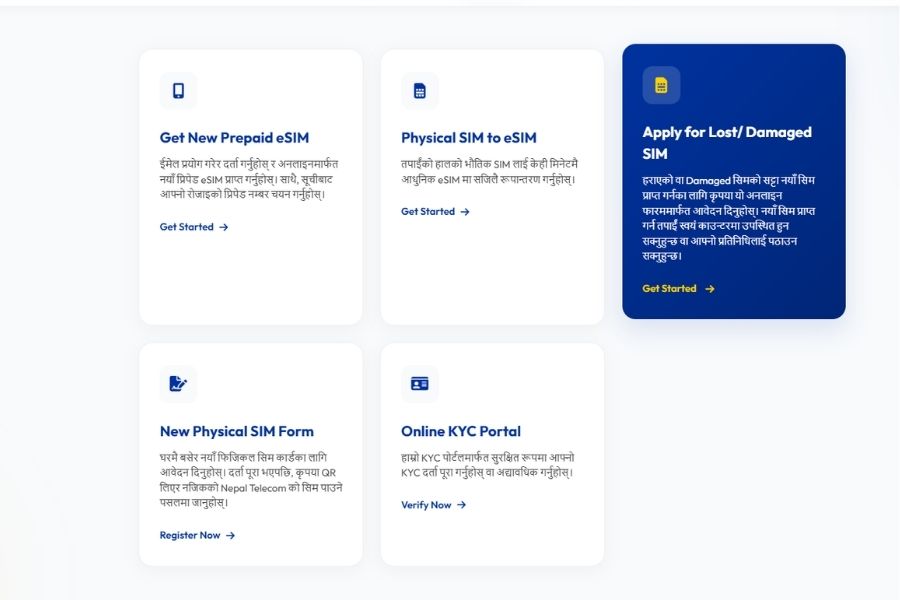
Step 1: Visit the Nepal Telecom SIM replacement portal
Go to NTC’s official portal and select the option for applying for a lost or damaged SIM. You can then log in or register to continue with the request.
Step 2: Submit your details
After logging in, you need to provide the necessary information related to your SIM and personal details. Make sure the information matches your registered customer details to help with the verification process.
Step 3: Add the details of the person collecting the SIM (if you are abroad)
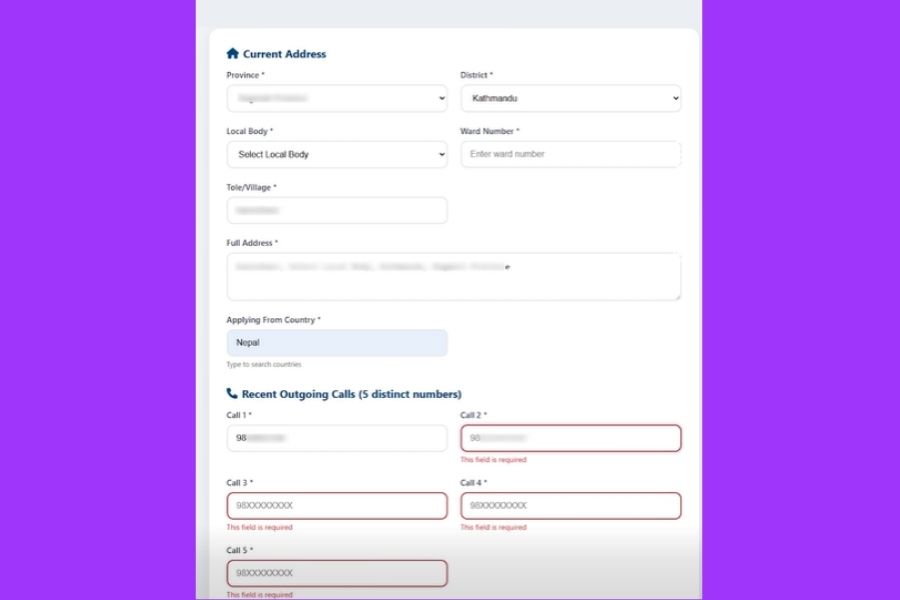
If you are outside Nepal and cannot visit the office personally, you can provide the details of a family member, friend, or another trusted person in Nepal who will collect the SIM on your behalf. That person will need to visit the Nepal Telecom office and complete the required verification process with the necessary documents.
Step 4: Complete verification and payment
After verification is completed, the person collecting the SIM needs to pay the applicable replacement fee at the Nepal Telecom counter. Once the process is completed, the replacement SIM will be issued.
You may also like:
- Google now lets you recover your account with a selfie video
- DoTM now allows driving license holders to download their driving license online through its official portal.
Can you replace your NTC SIM while abroad?
Yes, users who are outside Nepal can also start the SIM replacement process online. As mentioned above, you need to fill out the online form and provide the details of a person in Nepal who can visit a Nepal Telecom office for verification with the required documents.
What happens after the replacement request is approved?
Once the process is completed, the next question is how you can access your NTC number while being abroad.
- For a physical SIM: The representative in Nepal can collect the replacement SIM from the Nepal Telecom office after completing the required verification process.
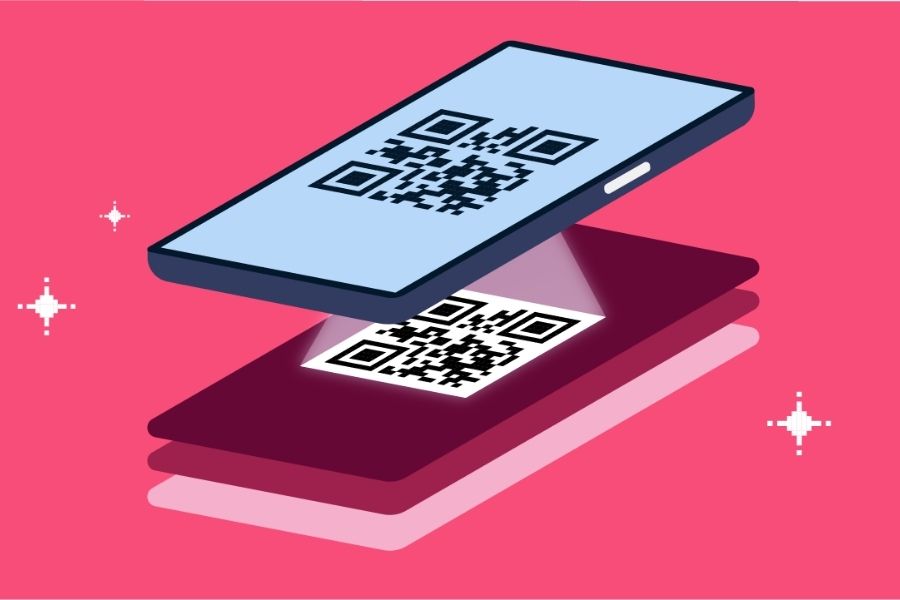
- For an eSIM: Nepal Telecom provides an eSIM QR code after the required process is completed. The QR code can then be shared with the user abroad, who can scan it on a compatible device to activate the eSIM.
Things to keep in mind
- The process is online, but verification is still required: Nepal Telecom has moved the application process online, but users still need to complete the required verification, even if through a representative, before receiving a replacement SIM.
- eSIM is an available option: Along with physical SIM replacement, users can also use eSIM where applicable. Those choosing eSIM should have a compatible device to complete the activation process.
- Make sure your details are correct: Providing accurate information during the application process is important, as the submitted details are used for verification.
Conclusion
Overall, Nepal Telecom’s online SIM replacement service is a practical step toward making it easier for customers to regain access to their numbers. The addition of eSIM support makes it even more useful for people abroad who may not be able to rely on a physical SIM card. While users still need to complete the required verification steps, the service provides a more convenient way to handle lost or damaged SIM cards when they need it most.
Article Last updated: July 24, 2026